
Google Lens
Screenshots
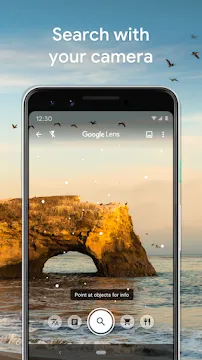
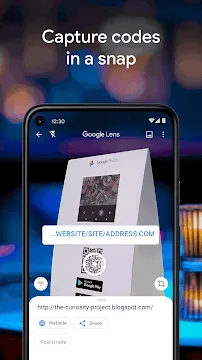
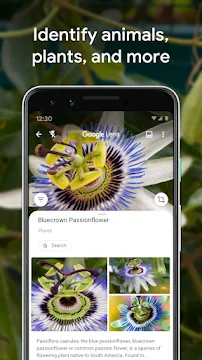
Google Lens is a visual search tool that transforms how you interact with the world through your camera. It uses advanced artificial intelligence to identify objects, read text, and provide information in real time. Instead of typing queries into a search engine, you simply point your lens at something to learn more about it. This application bridges the gap between the physical world and digital information. It makes everyday tasks faster and much more intuitive.
The app integrates deeply with your mobile operating system. You can access it through the dedicated app, your camera interface, or even your photo gallery. It helps you understand your surroundings by analyzing shapes, colors, and context. Whether you are a traveler, a student, or a curious shopper, this tool offers immediate answers. It simplifies the way you gather knowledge by turning your smartphone into a smart eye.
How Google Lens makes scanning text easy
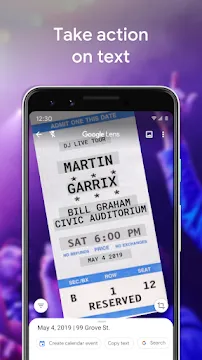
One of the most impressive features of Google Lens is its ability to handle text in the real world. You can point your camera at a physical document, a business card, or a poster to grab the information. The app recognizes the characters and allows you to copy them directly to your clipboard. You can then paste that text into a message, an email, or a document. This saves a significant amount of time compared to typing everything manually.
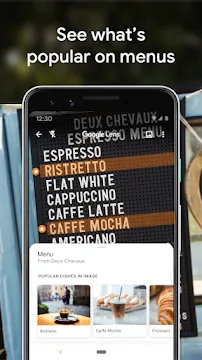
Beyond just copying text, the app can help you take action. If you scan a phone number, you can call it with one tap. If you scan an address, you can open it directly in your navigation app. It even helps with physical menus at restaurants. You can highlight specific dishes to see photos or read reviews from other customers. This functionality turns static text into an interactive experience.
Translating languages instantly with Google Lens
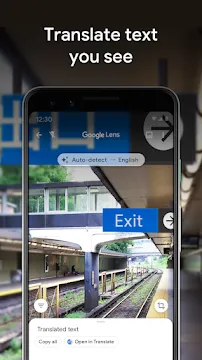
Traveling to a new country often involves facing language barriers. Google Lens solves this problem by offering real-time translation features. When you point your camera at a foreign sign, menu, or book, the app overlays the translation directly on top of the original image. It maintains the visual style and layout of the original text. This makes it much easier to understand your environment without having to use a dictionary.
The translation feature supports over 100 languages. You can even download language packs to use the translation tool while you are offline. This is perfect for remote areas where you might not have a steady data connection.
- Scan and translate street signs in seconds.
- Read foreign product labels while shopping.
- Understand instructions on public transport.
- Translate entire pages of books or documents for study.
Exploring the world with Google Lens image search
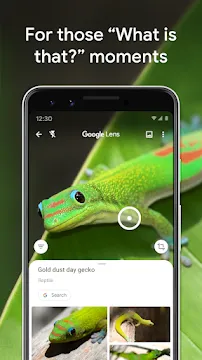
Identification is at the heart of this application. If you see a beautiful flower or a specific breed of dog, you can use Google Lens to identify it instantly. The app analyzes the visual features and matches them against a vast database of images. It provides the name of the object and often includes links to learn more about its history or care. This is a fantastic tool for nature lovers and students who want to explore biodiversity.
The search capabilities extend to architecture and landmarks as well. If you are standing in front of a famous building, the app can tell you its name and provide historical facts. It can even suggest nearby points of interest or tell you when the building is open to the public. By using visual data, the app gives you a guided tour experience wherever you go.
Shopping and product discovery using visual data
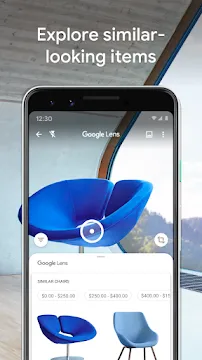
Finding a specific item you saw in public has never been easier. You can use the app to scan clothing, furniture, or home decor to find similar products online. It identifies the style and provides a list of retailers where you can purchase the item. This eliminates the need to describe complex patterns or unique shapes in a text search. You get direct access to prices, reviews, and shopping links.
The app also scans barcodes and QR codes with extreme speed. When you are at a physical store, you can scan a product to compare its price with online competitors. This helps you make informed purchasing decisions and save money.
- Identify fashion items from a simple photo.
- Find matching furniture for your home.
- Compare prices across different online stores.
- Scan barcodes for instant product specifications.
Solving homework and learning new skills
Students find this tool incredibly helpful for academic tasks. If you have a complex math equation in your textbook, the app can help you solve it. It provides step-by-step instructions and explanations for various problems. This does not just give you the answer; it teaches you the process of finding the solution. It covers subjects ranging from basic arithmetic to chemistry and physics.
The learning features also apply to general knowledge. You can scan a historical document or a scientific diagram to find educational videos and articles. It acts as a digital tutor that is available 24 hours a day. By making information visual, it helps students retain knowledge more effectively. It encourages curiosity and makes the learning process much more engaging.
Troubleshooting tips for better visual results
To get the best performance, you should ensure your camera lens is clean. Smudges can blur the image and make it harder for the AI to recognize objects. Good lighting is also essential for accurate identification. If you are in a dark room, try turning on your phone’s flashlight. The app usually has a built-in toggle to activate the light during a scan.
If the app fails to identify something, try changing your angle. Sometimes a side view or a close-up provides better data points for the software. Make sure your internet connection is stable, as the app needs to communicate with servers to process complex images. Keeping the app updated ensures you have the latest recognition algorithms and bug fixes. Most issues are easily solved by providing a clearer view of the object.
Conclusion
The Google Lens application is a revolutionary tool that changes how we use our smartphones. It turns a simple camera into a powerful search engine and a personal assistant. From translating languages on the fly to identifying obscure plants, it provides immense value in daily life. It simplifies information gathering and makes shopping more efficient. By focusing on visual data, it removes the friction of typing and describing what we see. Whether you are using it for work, study, or travel, it enhances your ability to understand and navigate the world.